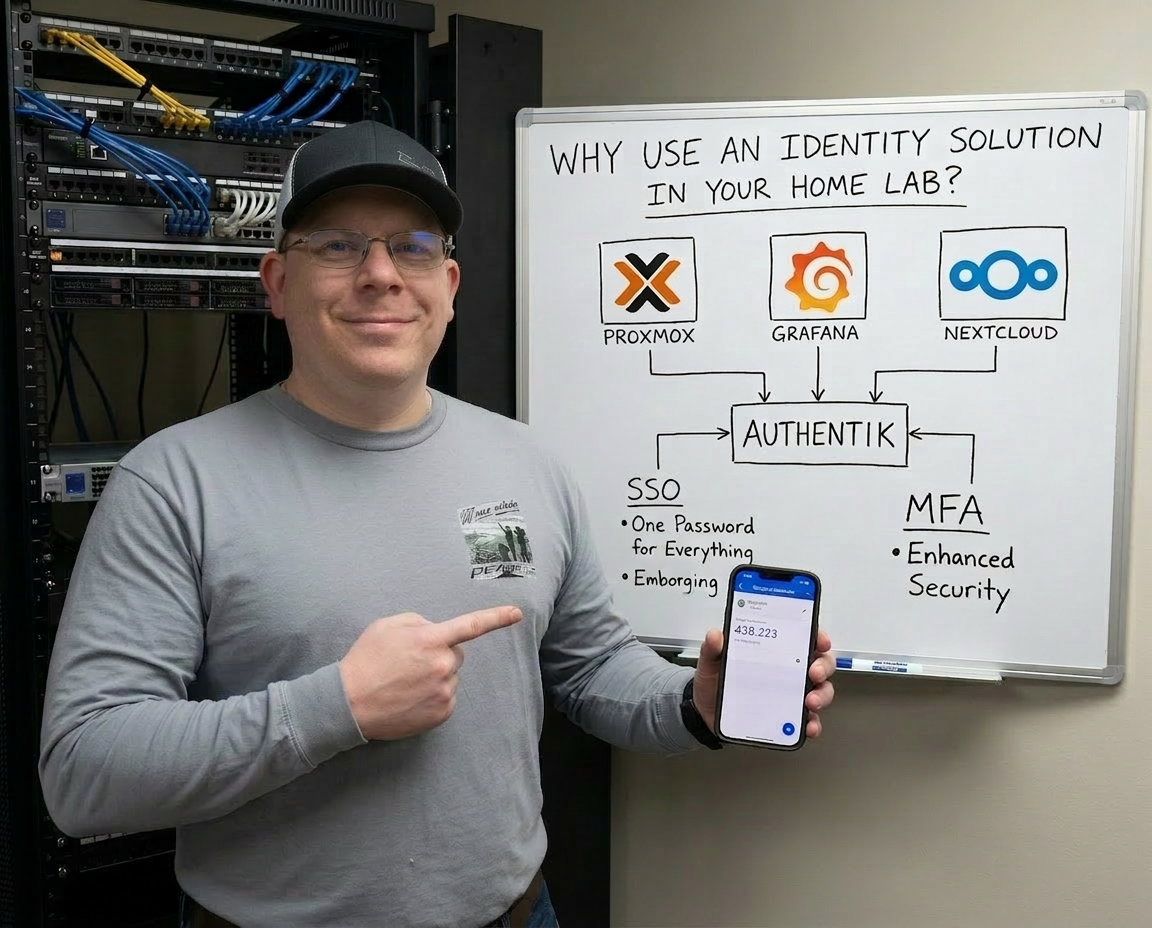
One of the fastest ways to build risk into a home lab is also one of the easiest habits to fall into: reusing passwords.
It starts innocently enough. You spin up a dashboard. Then a reverse proxy. Then a media stack. Then a couple of admin tools. Then something for monitoring, something for backups, something for containers, something for networking, something for remote access. Before long, your “small” home lab has dozens of services, and every one of them wants credentials.
That is where a lot of people make the same mistake: they start reusing the same password, or a slight variation of it, across everything.
It feels practical. It feels manageable. It is neither.
In a home lab, password reuse turns one weak point into a master key. If even one service is exposed poorly, has a vulnerable plugin, gets misconfigured behind a proxy, or stores credentials badly, reused credentials can become the thing that opens the rest of your environment. The bigger your lab gets, the worse this gets. More services mean more logins, more forgotten accounts, more stale credentials, and more chances to take shortcuts.
That is exactly why a real identity layer matters.
The home lab password problem gets ugly fast
Most home lab builders do not start with a grand security plan. They start with “I just want to get this working.”
That is how you end up with:
- the same admin password on multiple containers
- local accounts scattered across apps
- no MFA on critical tools
- no clean way to disable access in one place
- no visibility into who authenticated where
- no easy offboarding for old accounts, test users, or stale service access
Even if you use a password manager, managing separate local accounts across a pile of self-hosted tools is still messy. Password managers help, but they do not solve the underlying identity sprawl. They store the chaos better. They do not remove it.
What fixes the mess is centralizing authentication.
Why authentik makes so much sense in a home lab
authentik is a self-hosted identity provider designed to centralize authentication and access control. The project positions itself as an open-source identity platform that can cover a wide range of identity needs while giving you control of your own data.
For a home lab, that matters a lot.
Instead of every app having its own little island of usernames and passwords, authentik lets you put identity in one place and let applications trust that system. Its supported protocols and capabilities include things like OIDC, SAML, LDAP, SCIM, RADIUS, Kerberos, and proxy-based access.
That means it can fit into a surprisingly wide chunk of a serious home lab.
In plain English, authentik gives you a way to say:
- users authenticate here
- policies are enforced here
- MFA happens here
- SSO starts here
- account management happens here
That is a much better model than manually maintaining separate credentials across everything.
SSO is not just convenience — it is damage control
A lot of people hear single sign-on and think only about convenience. One login. Fewer prompts. Less annoyance.
That is true, but it undersells the real value.
SSO is also about control.
When your apps trust a central identity provider, you can:
- enforce stronger authentication in one place
- require MFA for sensitive services
- disable a user once instead of hunting across many apps
- reduce the number of passwords people actually type into random login forms
- standardize access policies across your stack
That last point matters. Every extra local login page in your environment is one more place for weak password habits, poor rate limiting, old accounts, and inconsistent policy.
A cleaner setup is not just easier to use. It is easier to secure.
One of authentik’s biggest strengths: flexible integration
authentik is not just a login page. It is built around applications, providers, flows, stages, and policies, which gives it a lot of flexibility for how authentication is handled. It also has a growing integration catalog for common self-hosted tools and homelab-friendly platforms, including examples for things like Home Assistant, Proxmox VE, and Apache Guacamole.
That is a huge deal in a home lab because most labs are not made of one clean vendor stack. They are cobbled together from whatever is useful, interesting, cheap, or fun.
You might have:
- Proxmox for virtualization
- Home Assistant for automation
- Guacamole for browser-based access
- dashboards, internal tools, media apps, admin panels, and container services
- reverse proxies and tunnels exposing selected services externally
authentik fits that reality better than a lot of rigid enterprise-first tools.
MFA and passwordless options are where it really starts paying off
This is where central identity gets practical fast.
authentik supports multiple authentication methods, including WebAuthn/FIDO2 for passkeys, security keys, and biometrics in passwordless flows. The docs also describe how passwordless authentication is built around WebAuthn devices, and the project has published guidance on the differences between MFA methods.
That means you can move beyond “hopefully my password is good enough” and into something better:
- MFA for admin portals
- passkeys for critical apps
- stronger login requirements for anything internet-facing
- reduced dependence on memorized passwords
That is a major upgrade for a home lab, especially when you start exposing selected services externally.
Because the truth is simple: once a service is reachable from outside your network, you need to stop pretending your security model can stay casual.
Central identity also reduces operational headaches
There is a very practical side to this.
When you centralize identity, you stop having to remember:
- which services have local accounts
- which password was used where
- which apps had MFA turned on and which did not
- which old test account still exists somewhere
Instead, you get a single place to manage users, access, and authentication behavior.
And with newer authentik releases, the platform has continued expanding its capabilities, including features like device management, data export, and a redesigned permissions system in the 2025.12 release. It also added single logout support for both SAML and OIDC flows in version 2025.10, which helps terminate sessions across connected apps instead of leaving them active everywhere.
That is not fluff. That is the kind of maturity that makes a central identity system more useful as your lab grows up.
The big warning: do not create an identity deadlock
Here is the part that matters just as much as all the benefits:
Do not put your identity provider completely behind itself.
That sounds clever when you are building. It sounds secure. But it can bite you hard.
If authentik is the gatekeeper to everything, and the path to authentik itself depends on authentik working perfectly through another protected layer, then a bad config, broken proxy rule, certificate issue, provider change, or outpost problem can lock you out of the very tool you need to fix the issue.
That is a terrible place to be.
Your identity layer is foundational infrastructure. Treat it like DNS, backups, or your hypervisor management plane. It needs a recovery path.
In practical terms, that means:
- keep a direct admin path available
- document emergency access
- avoid circular authentication dependencies
- make sure your reverse proxy and DNS for authentik are boring and reliable
- have a backup plan if SSO breaks
You want authentik protecting your environment, not becoming a single point of self-inflicted failure.
Where authentik fits best in a home lab design
A smart way to think about it is this:
Use authentik as the identity brain of the lab, but do not make it impossible to reach or recover.
Good targets for authentik usually include:
- admin dashboards
- internal tools
- reverse-proxied web apps
- services that support OIDC or SAML
- systems where you want centralized MFA and access control
Use it to reduce password reuse, reduce account sprawl, and standardize authentication.
Do not use it in a way that leaves you dead in the water if one auth flow breaks.
Why this matters more as your lab grows
A tiny lab can get away with sloppy habits for a while.
A larger home lab cannot.
As soon as you have multiple users, external access, remote administration, family services, shared tools, or anything tied to important data, password reuse stops being a harmless shortcut and starts being a real liability.
That is why authentik is such a strong fit for homelabbers. It gives you a real identity platform, supports the protocols that matter, integrates with common self-hosted services, and gives you a path toward SSO, MFA, and better policy control without handing your entire identity stack to a third party.
That is the real value.
It is not just about making login easier.
It is about making your lab less fragile, less inconsistent, and a whole lot harder to compromise because you got lazy with passwords.
Final thought
If your home lab still relies on the same few passwords copied across app after app, you are building convenience on top of risk.
That works right up until it does not.
authentik gives you a way to start cleaning that up properly. Centralized identity, SSO, MFA, and stronger control over who gets into what is a much better model than hoping you remember which reused password is protecting which service.
Just do yourself one favor: make sure your identity system is recoverable when something breaks.
Because eventually, something always breaks.